A quick, hands-on groove box for your DAW or on its own. Build a beat from kick, bass, hat and snare tracks on a 16-step grid, add a dark techno rumble, and let the bass duck from the kick for the classic pumping groove.
Good to know. Some things are not in μ-on yet: per-step pitch for the bass, loading your own samples, and pattern banks. Feedback is welcome on the contact page.
What it does
A groove box, built from tracks.
Every track has a row of sixteen steps and a sound engine that plays them. Switch a track’s engine at any time and it keeps each engine’s settings.
One to eight tracks
A new μ-on starts with one Kick track. Add tracks, reorder them by dragging, and each keeps its own settings, steps and colour.
Tracks
Sixteen-step grid
Left-click a step to switch it on or off, right-click to accent it. Swing pushes every second sixteenth later for a shuffle. Every engine starts with its own groove, such as four-on-the-floor for the kick.
Steps
Kick and Bass engines
A synthesised kick with a fast pitch drop and a drive stage. A deep bass with a sub oscillator, a filter with its own envelope, and drive. Raise Sub, Drive and Reso for a gritty rumble.
Synthesis
Hat and Snare
Built-in drum sounds that play one shot on each step, with tune and decay. You can’t load your own samples yet.
Drums
Rumble
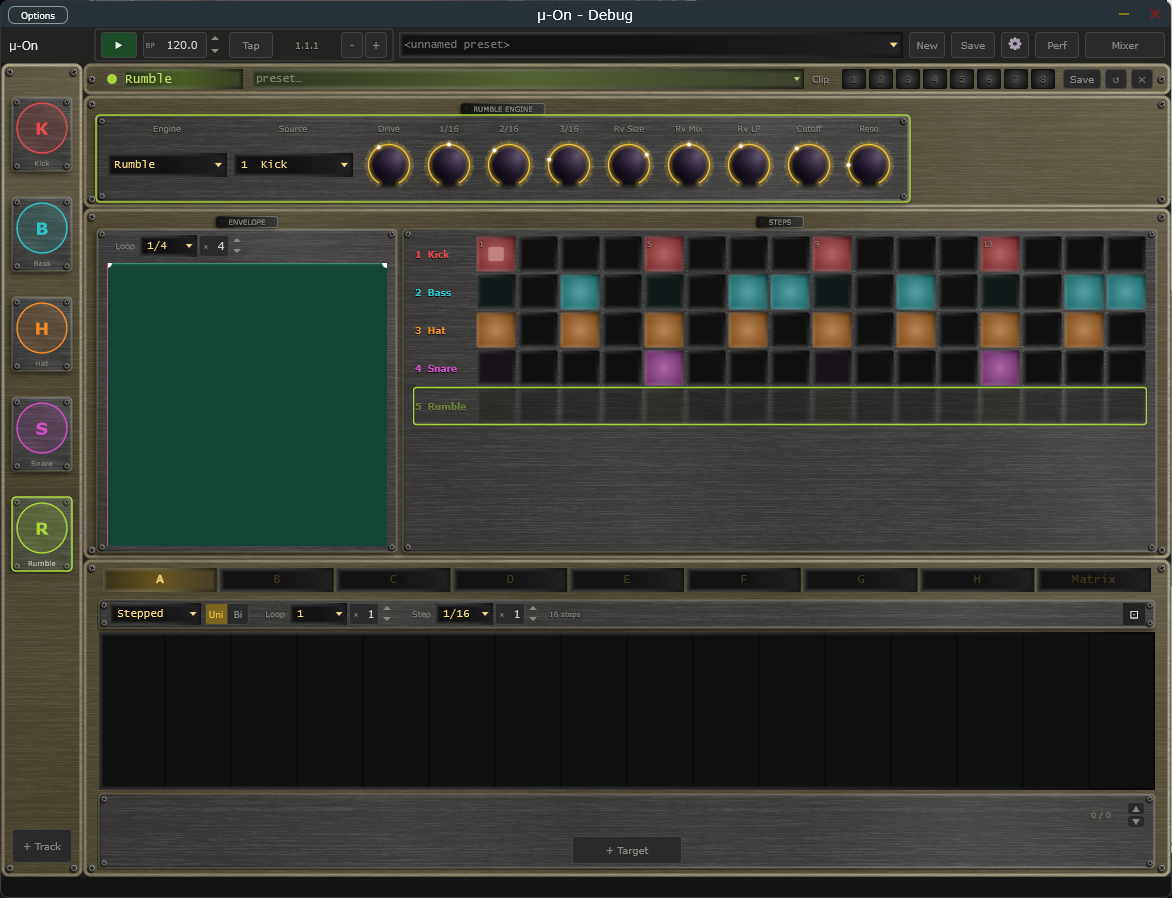
Not a drum you step. Rumble takes the sound of another track and runs it through drive, three tempo-synced delay taps, a dark reverb, a volume envelope you draw, and a filter. The classic techno rumble.
Rumble
Sidechain, modulators and mixer
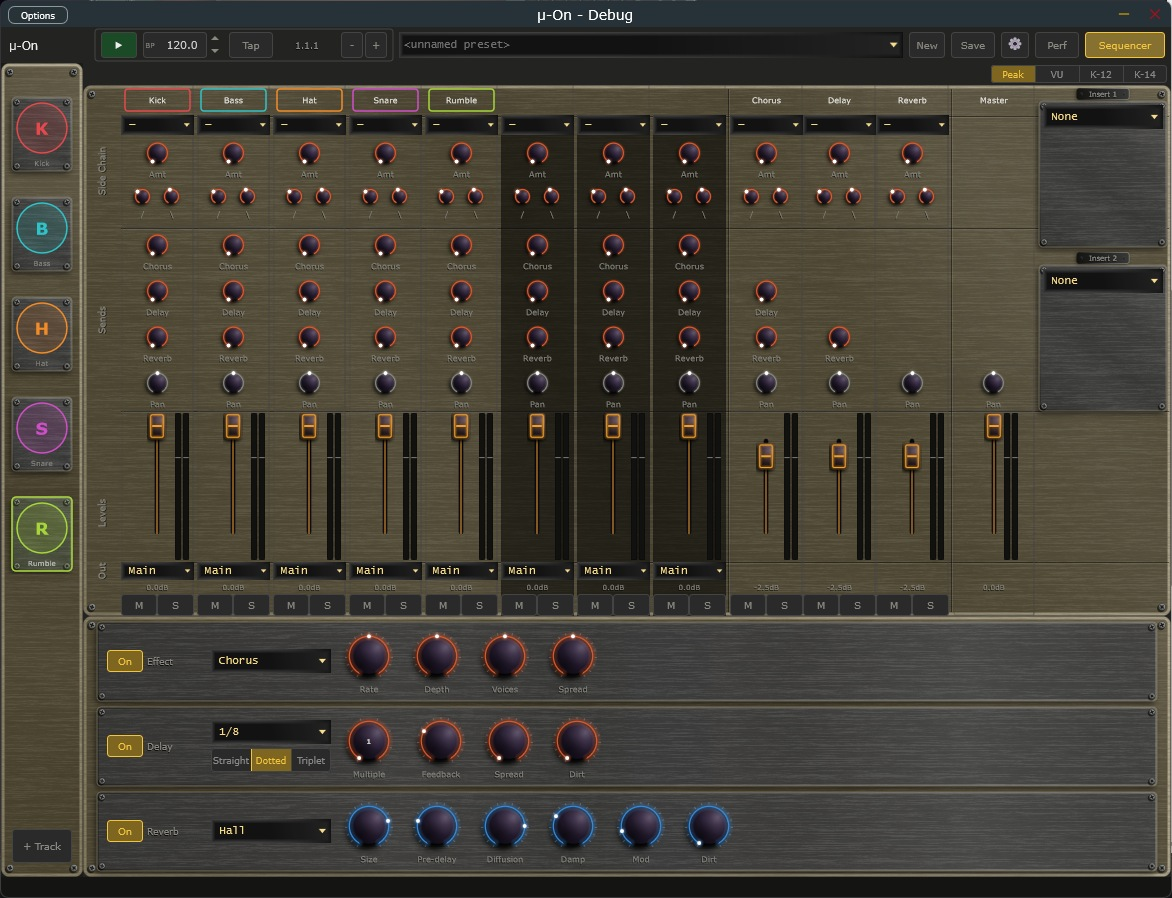
Make the bass duck from the kick in the mixer. Eight modulators per track, the shared mixer and effects, and presets, the same as the rest of the μ-series.
Mixer & mod
μ-on interface
Beats in a few clicks.
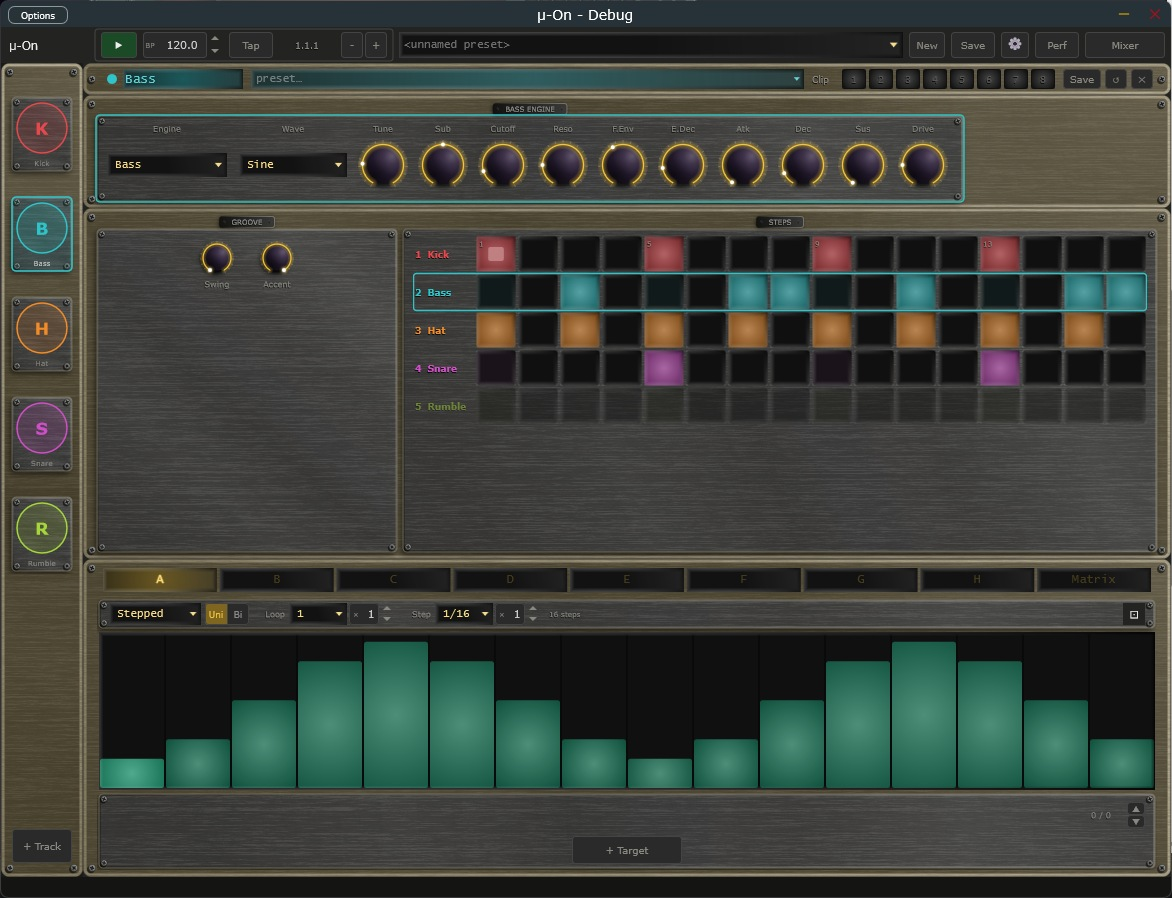
Engine on top, groove and steps in the middle, eight modulators underneath. Here the Bass track is selected, with a modulator drawn for it.
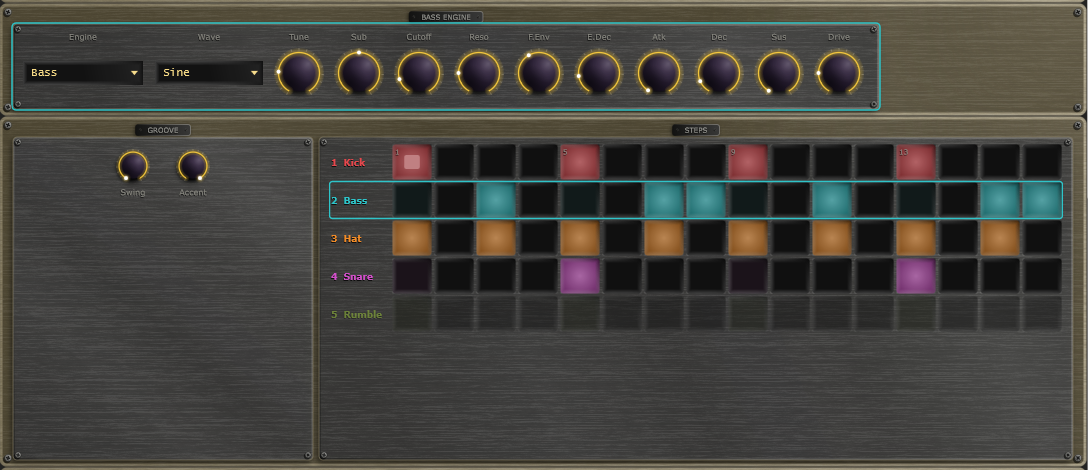
Steps and engine
One row of sixteen steps per track, in each track’s colour.
Rumble track
Rumble processes another track’s sound, shaped by an envelope you draw.
Mixer
Set up the bass-to-kick sidechain here, with the shared sends and master inserts.
System requirements
System
Windows 10 or 11, 64-bit. macOS is on hold, and Linux is in beta (VST3, CLAP and Standalone).
Formats
VST3 and CLAP plug-ins for your DAW, plus a Standalone app that runs on its own.
You will need
A DAW that hosts VST3 or CLAP plug-ins (for the plug-in), or just an audio interface or sound card (for the Standalone).
Download and pay what you want
Download μ-on below, free of charge. It comes with the VST3, CLAP and Standalone for Windows, and a Linux beta.
Pay what you want · from £0 · suggested £20 (GBP)
Pay what you want, through Lemon Squeezy. A licence key is issued even for £0, and it removes the support prompt shown when the app starts. Nothing is limited without one, so download and use it first if you like. The source is open under GPLv3.