μ-tronicPerformance instrument bringing together all the voices of the μ range of instruments for live play
μ-tronic starts empty. Add a layer to any of its sixteen slots, taken from μ-clid, μ-tant, μ-toni or μ-on, and play them together over one tempo with one mixer, buses and scenes. It runs on its own, with no DAW needed. Pay what you want, from £0.
16 layer slotsLayers from four appsBuses & scenesStandalone appWindows
Each μ-series app is one idea. μ-tronic lets you mix them. Put a Euclidean rhythm, a drone, an arpeggio and a kick drum in the same rig, and play them all from one window.
Sixteen empty slots
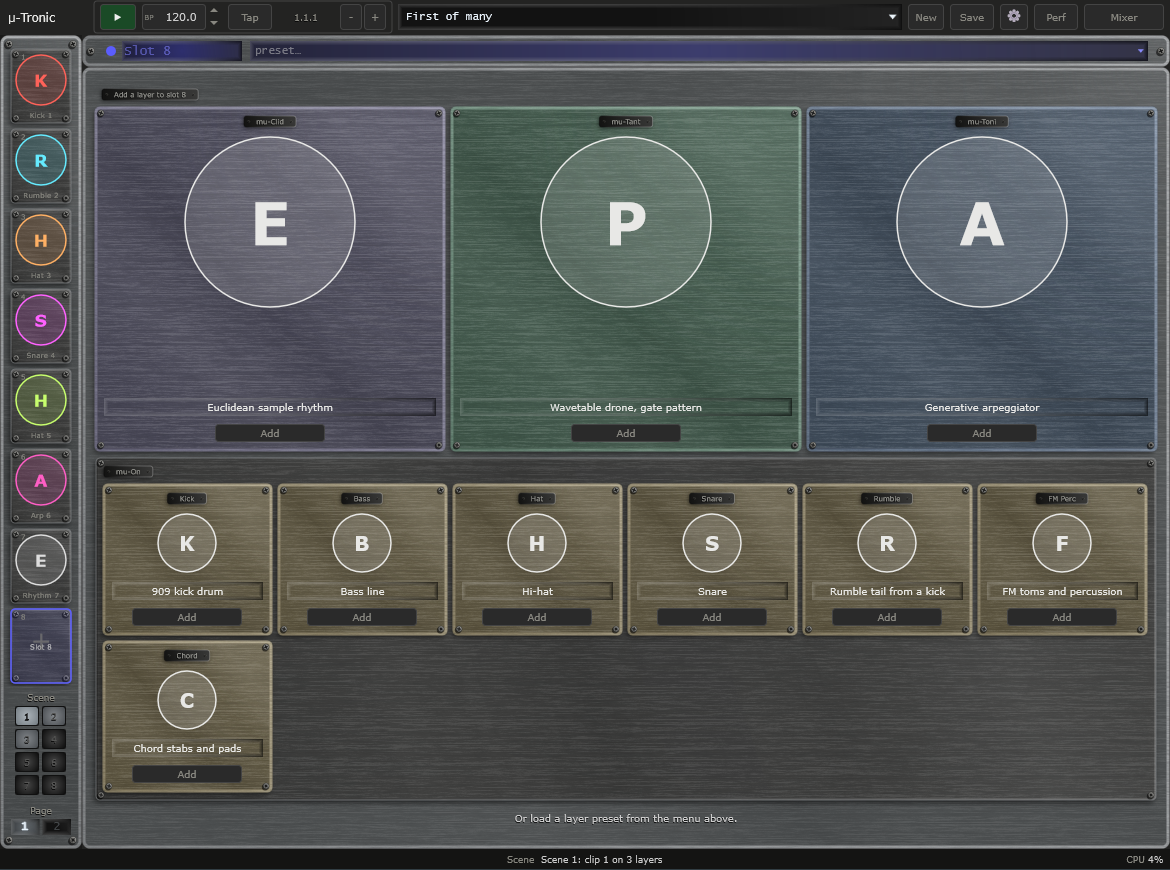
Start with an empty rig and fill the slots you want. Add a layer to a slot, change its type, clear it. Page 1 shows slots 1 to 8 and page 2 shows 9 to 16.
Slots
Layers from four apps
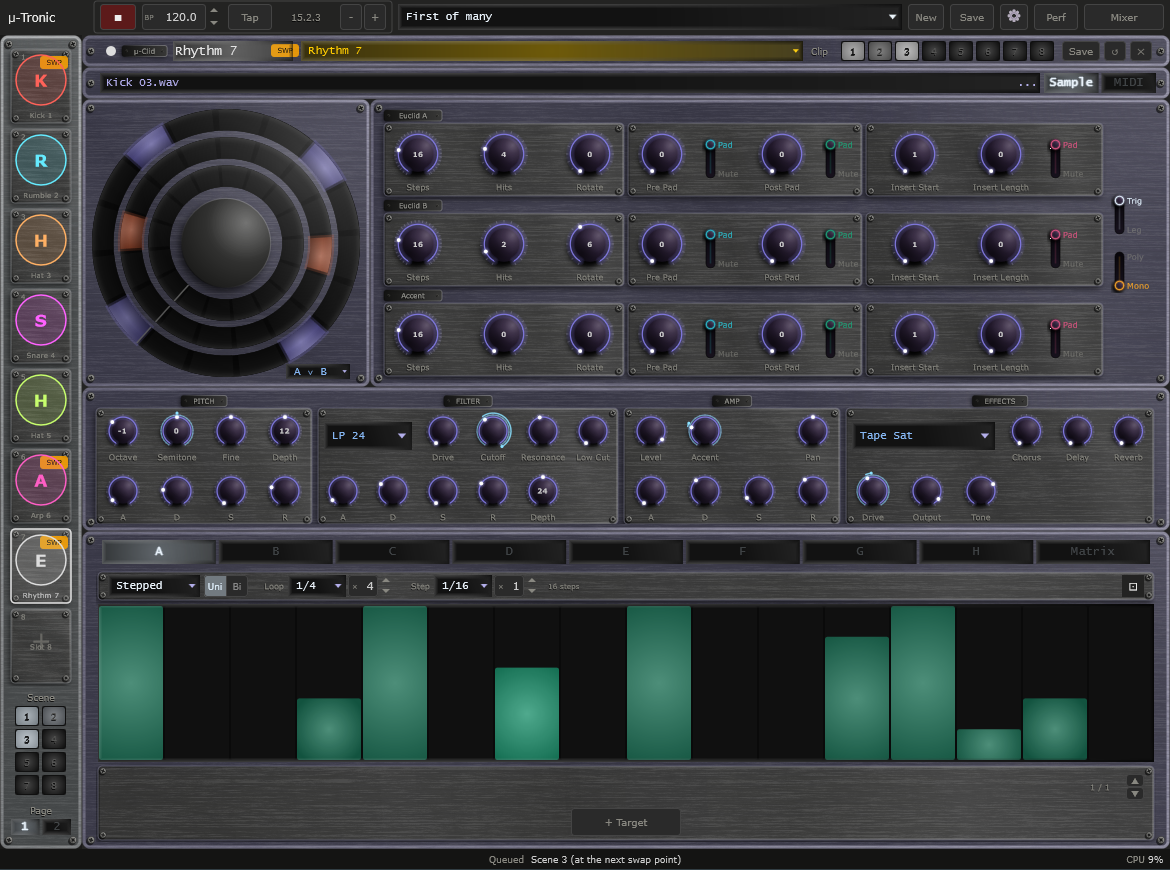
Pick from the μ-clid rhythm, the μ-tant pattern, the μ-toni arpeggiator, and the μ-on kick, bass, hat, snare, rumble, FM percussion and chord. Each is the same layer you know from its own app, with its own sequencer, modulators and insert effect.
Layer types
One mixer, with buses
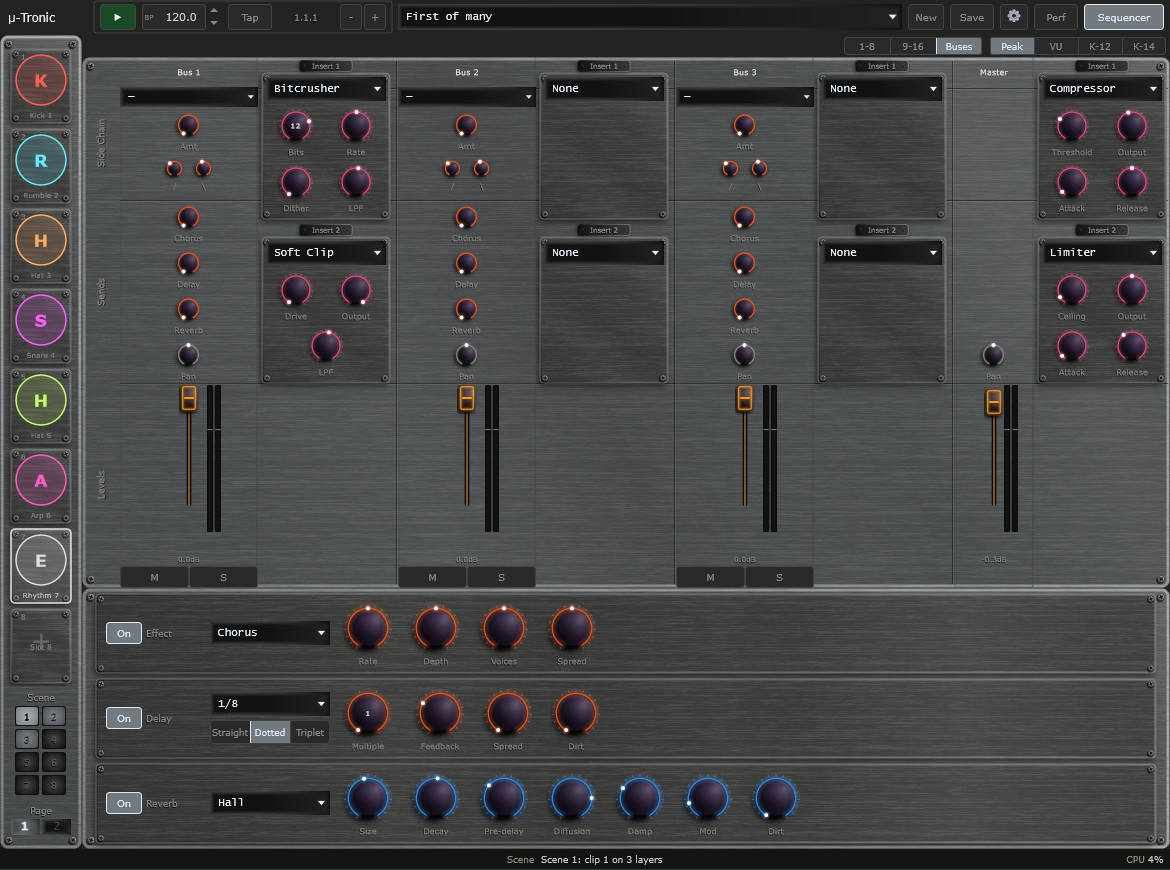
Every layer feeds a mixer strip with the same sends and sidechain as the rest of the μ-series. Send layers to one of three buses, each with two insert effects, instead of straight to the master.
Mixer
Bring your presets in
Import a layer from a saved μ-clid, μ-tant, μ-toni or μ-on preset straight into a slot, so sounds you made in the other apps come into your rig.
Import
Scenes
Each layer keeps a bank of clips. Press a scene and clip n launches on every layer at once, so one click changes the whole rig.
Scenes
Built for the stage
It is a standalone app, made for playing live, with the same shared look and controls as every other μ-series app. No DAW needed. It takes MIDI in, and a μ-clid layer set to MIDI mode can send MIDI out.
Standalone
Add a layer
Every empty slot offers the layer types from the other apps.
Buses
Three buses with two insert effects each, then the master.
A typical start
Three steps to a rig.
Add a layer
Click an empty slot and choose a layer type, such as a kick or a pattern. It appears with its own sound controls and sequencer.
Fill more slots
Add up to sixteen layers. Use the page buttons to move between slots 1 to 8 and 9 to 16, and balance them on the shared mixer.
Press Play
Everything runs on one tempo. Group layers onto buses, add effects, and switch scenes as you play.
A standalone app. μ-tronic is not a plug-in. It has no VST3 or CLAP version and runs on its own, like μ-link.
System requirements
System
Windows 10 or 11, 64-bit. macOS is on hold.
Format
A Standalone app that runs on its own. It has no VST3 or CLAP version.
You will need
A sound card or audio interface. A MIDI keyboard or controller is optional.
Download and pay what you want
Download μ-tronic below, free of charge. It is a Standalone app for Windows.
Pay what you want · from £0 · suggested £25 (GBP)
Pay what you want, through Lemon Squeezy. A licence key is issued even for £0, and it removes the support prompt shown when the app starts. Nothing is limited without one, so download and use it first if you like. The source is open under GPLv3.