Load a loop, usually drums, and μ-tilate finds the hits and cuts it into slices. Lay the slices out on a timeline in any order. Repeat them, flip them, thin them out, change their pitch, or match the whole loop to your tempo.
Auto-slice on transientsTimeline arrangerRe-pitch or time-stretchVST3 & CLAP & StandaloneWindows
Good to know. μ-tilate is new. It plays from its own timeline, not from MIDI notes, and clicking a slice pad plays that slice so you can hear it. Feedback is welcome on the contact page.
What it does
A loop, cut into pieces you can play with.
Every layer holds one loop. The slices are laid out on a timeline, one after another, and you can rearrange them to make something new.
Load a loop
Drop in any audio file, usually a drum loop but anything works. μ-tilate shows the whole waveform and works out the length and tempo for you. Six factory loops come with it.
Source
Slices on the transients
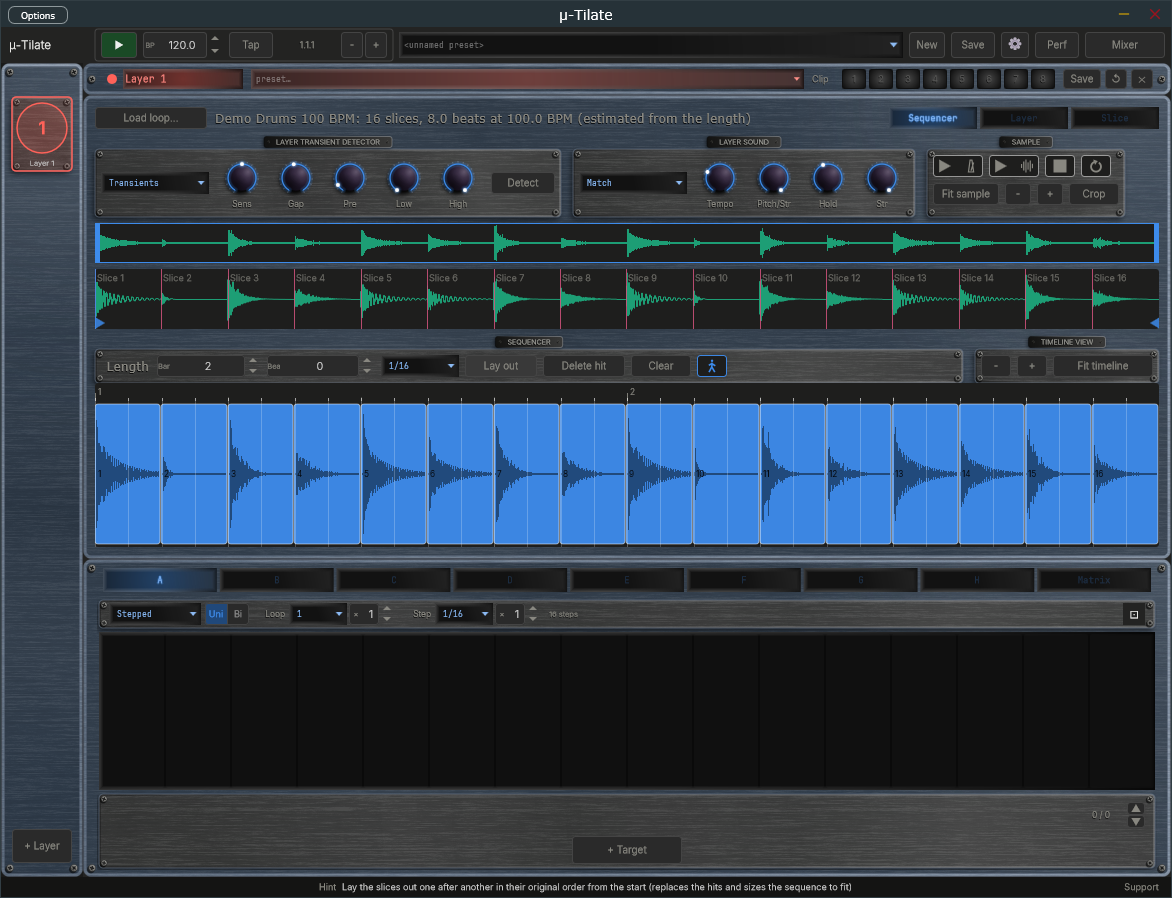
Press Detect and the loop is cut at every hit. The Sens, Gap, Pre, Low and High controls tune what counts as a hit, and you can adjust the slice markers by hand.
Slicing
Arrange on a timeline
Each slice becomes a block on the timeline. Drag them into a new order, repeat them, reverse them, leave gaps, or press Lay out to put them back in their original order.
Timeline
Match your tempo
Pick how the loop follows the host tempo: leave it alone, re-pitch it (faster means higher), or time-stretch it so the pitch stays put.
Tempo
Shape every slice
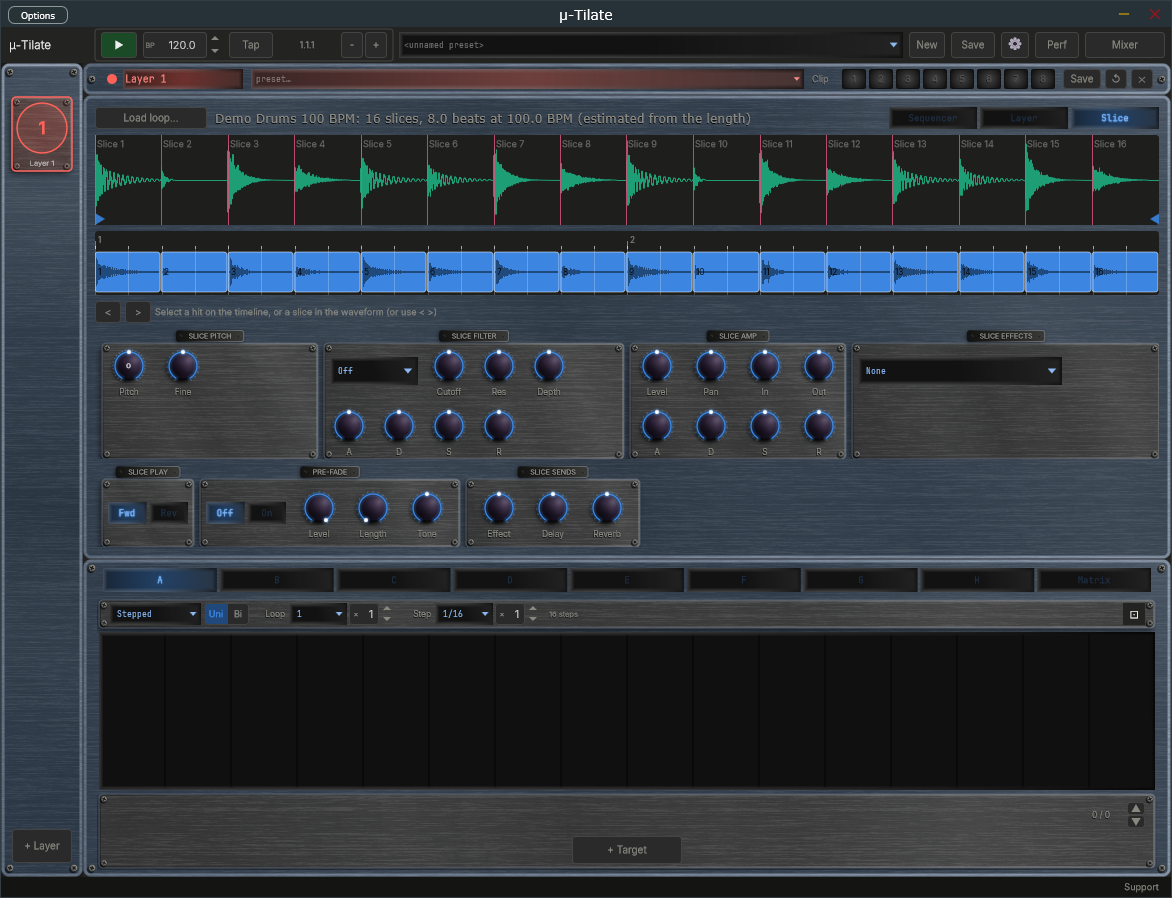
Each slice has its own pitch and fine tune, filter with an envelope, amp with an envelope, direction, effect, and sends to the shared Effect, Delay and Reverb. There is also an optional pre-fade for a softer lead-in.
Per slice
Eight layers, mixer and modulation
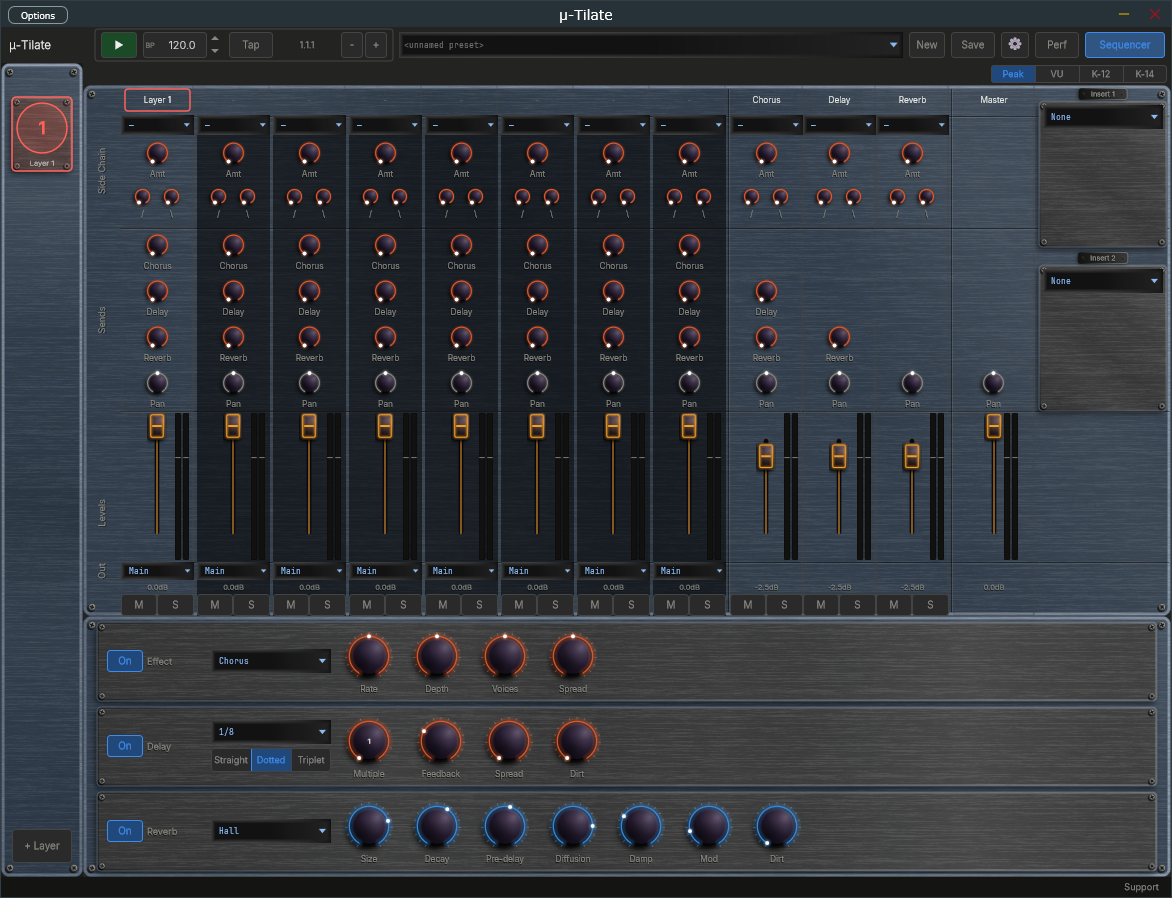
Eight layers, each with its own loop, timeline and mixer strip. The mixer, effects, eight modulators per layer and presets work the same as in the rest of the μ-series.
Mixer & mod
μ-tilate interface
See the loop, then rebuild it.
Detector and tempo controls on top, the loop and its slices in the middle, and the timeline below. Each block is one slice, and you can drag it wherever you like.
Slice view
Pick a slice and shape it: pitch, filter, amp, effect, direction and sends.
Mixer
The shared mixer with sends, sidechain, inserts and master.
System requirements
System
Windows 10 or 11, 64-bit. macOS is on hold. VST3, CLAP and Standalone.
Formats
VST3 and CLAP plug-ins for your DAW, plus a Standalone app that runs on its own.
You will need
A DAW that hosts VST3 or CLAP plug-ins (for the plug-in), or just an audio interface or sound card (for the Standalone). A loop to slice, or use one of the factory loops.
Download and pay what you want
Download μ-tilate below, free of charge. It comes with the VST3, CLAP and Standalone for Windows.
Pay what you want · from £0 · suggested £20 (GBP)
Pay what you want, through Lemon Squeezy. A licence key is issued even for £0, and it removes the support prompt shown when the app starts. Nothing is limited without one, so download and use it first if you like. The source is open under GPLv3. Paid £0 and want to give more? Make a donation.